Picture buffers or freezes
Check your internet speed, restart router and app, and use 5 GHz Wi-Fi or Ethernet. For 4K we recommend at least 25 Mbps.
Pick your device and set up Dream-TV in just a few minutes. Every guide is intentionally simple — no tech skills required.
Before you start: Have your login ready. After your purchase or trial request you receive either an M3U link or your Xtream codes (username, password and server URL).
From the home screen, use the search (magnifier) to find your IPTV player app and install it.
Launch the app right after installation.
Enter your Dream-TV M3U link or Xtream codes and confirm.
The channel list loads automatically — you're ready to watch.
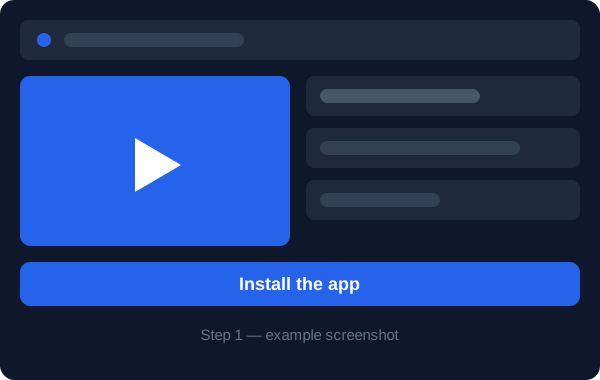
Install TiviMate from the Google Play Store on your Fire TV Stick or Android device.
Open TiviMate, choose Add playlist and select Xtream Codes or M3U.
Enter your Dream-TV details and confirm.
TiviMate loads the channel list and EPG — enjoy a premium TV experience.
Open your device's app store and search for a compatible IPTV player app.
Install the app and launch it. On first launch it will ask for your login.
Enter your Dream-TV M3U link or Xtream codes and confirm.
The channel list loads automatically — pick a channel or a movie from VOD.
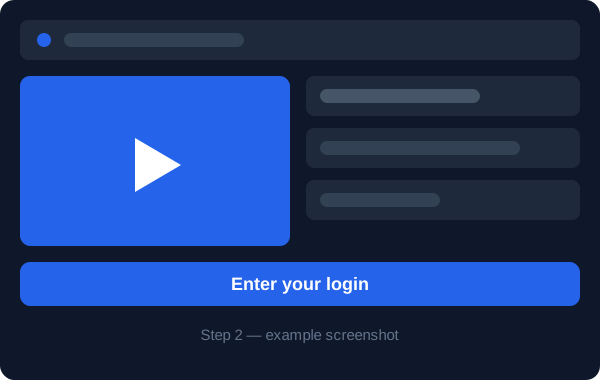
Open your device's app store and search for a compatible IPTV player app.
Install the app and launch it. On first launch it will ask for your login.
Enter your Dream-TV M3U link or Xtream codes and confirm.
The channel list loads automatically — pick a channel or a movie from VOD.
Open your device's app store and search for a compatible IPTV player app.
Install the app and launch it. On first launch it will ask for your login.
Enter your Dream-TV M3U link or Xtream codes and confirm.
The channel list loads automatically — pick a channel or a movie from VOD.
Open your device's app store and search for a compatible IPTV player app.
Install the app and launch it. On first launch it will ask for your login.
Enter your Dream-TV M3U link or Xtream codes and confirm.
The channel list loads automatically — pick a channel or a movie from VOD.
Open your device's app store and search for a compatible IPTV player app.
Install the app and launch it. On first launch it will ask for your login.
Enter your Dream-TV M3U link or Xtream codes and confirm.
The channel list loads automatically — pick a channel or a movie from VOD.
Open your device's app store and search for a compatible IPTV player app.
Install the app and launch it. On first launch it will ask for your login.
Enter your Dream-TV M3U link or Xtream codes and confirm.
The channel list loads automatically — pick a channel or a movie from VOD.
Open your device's app store and search for a compatible IPTV player app.
Install the app and launch it. On first launch it will ask for your login.
Enter your Dream-TV M3U link or Xtream codes and confirm.
The channel list loads automatically — pick a channel or a movie from VOD.
Open your device's app store and search for a compatible IPTV player app.
Install the app and launch it. On first launch it will ask for your login.
Enter your Dream-TV M3U link or Xtream codes and confirm.
The channel list loads automatically — pick a channel or a movie from VOD.
Check your internet speed, restart router and app, and use 5 GHz Wi-Fi or Ethernet. For 4K we recommend at least 25 Mbps.
Make sure your login is entered correctly. Refresh the channel list in the app settings.
Mind upper- and lowercase in username and password, and copy the full M3U link.
Fully close the app, restart your device and re-open it. Keep the app up to date.
You need a compatible IPTV player app. After installing it you simply enter your login details and the channel list loads automatically.
Check your internet connection, restart your router and app, and use an Ethernet cable or 5 GHz Wi-Fi. For 4K we recommend at least 25 Mbps.
You receive your login after your purchase or trial request by email or message.
Yes, depending on your plan you can use Dream-TV on one or two devices at the same time. See the plans page.